
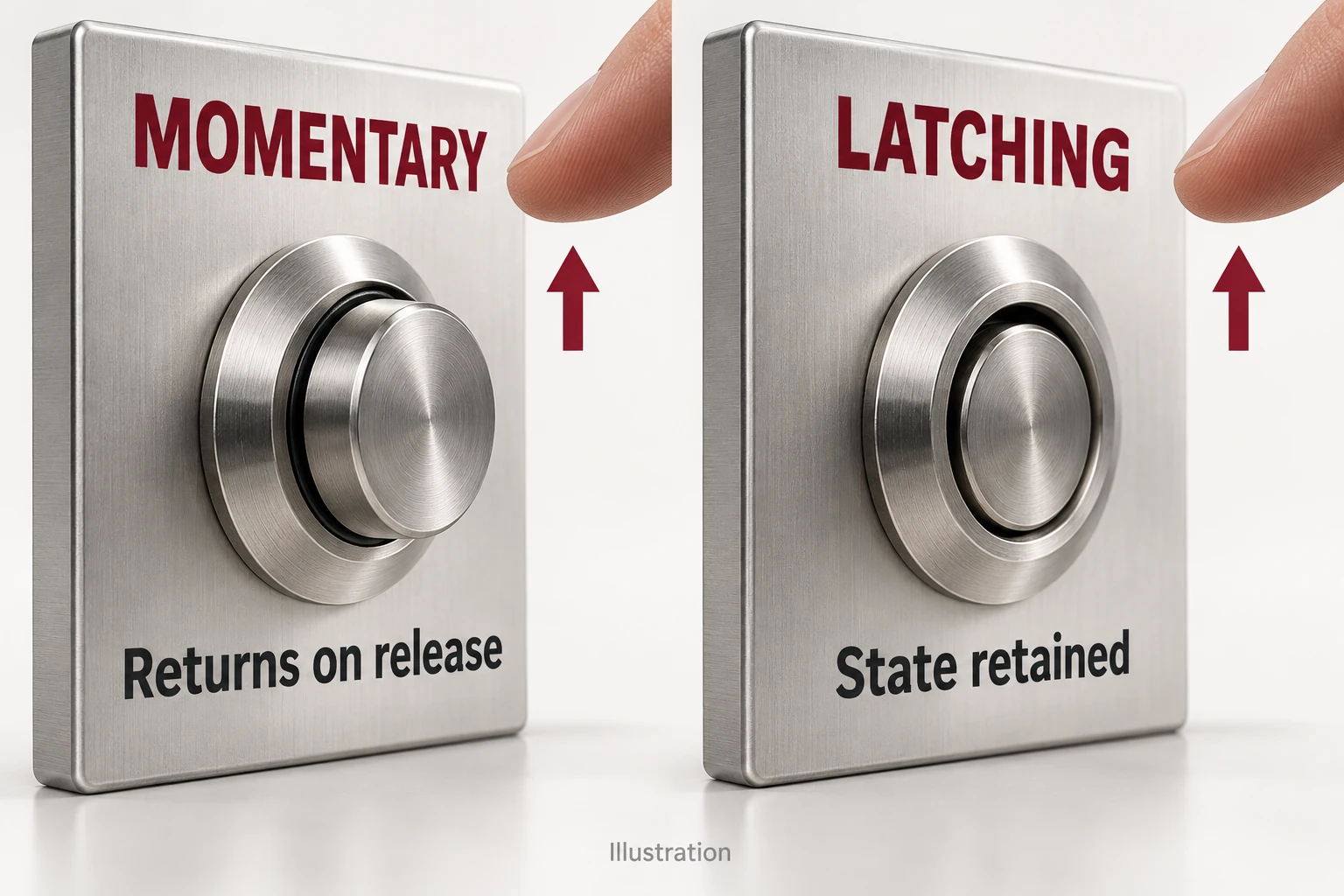
Choose a momentary push button when its input should return to the rest state after release. Choose a latching push button when the mechanism should retain its operated state until a defined reset action. A machine that keeps running can still use a momentary Start button: the controller can hold the running command.
Start with what the input should do after your finger leaves the button. The worked control-station example below turns that requirement into an action choice and a short ordering specification.
Give each button a job before choosing its action.
Consider an illustrative controller-operated station with Start, Reset and an ordinary auxiliary light. Choose the action from the required behaviour after release:
| Station input | After release | Functional choice |
|---|---|---|
| Start request | The button input returns to rest; the accepted cycle can continue. | Momentary button with controller sequence logic. |
| Reset request | The reset input returns to rest. | Momentary button with a defined reset response. |
| Auxiliary-light selection | The selected position remains until changed. | Maintained operator with a defined release action. |
Start and Reset are temporary requests; the controller decides whether to accept them. The auxiliary-light operator retains the physical selection, while machine safety and restart behaviour remain separate control-design decisions.
Put command memory in the part designed to manage it.
Mechanical latching happens in the button. Electrical or software holding happens in a relay circuit or controller. In our Start example, the button gives a temporary input and the controller retains the accepted cycle state.
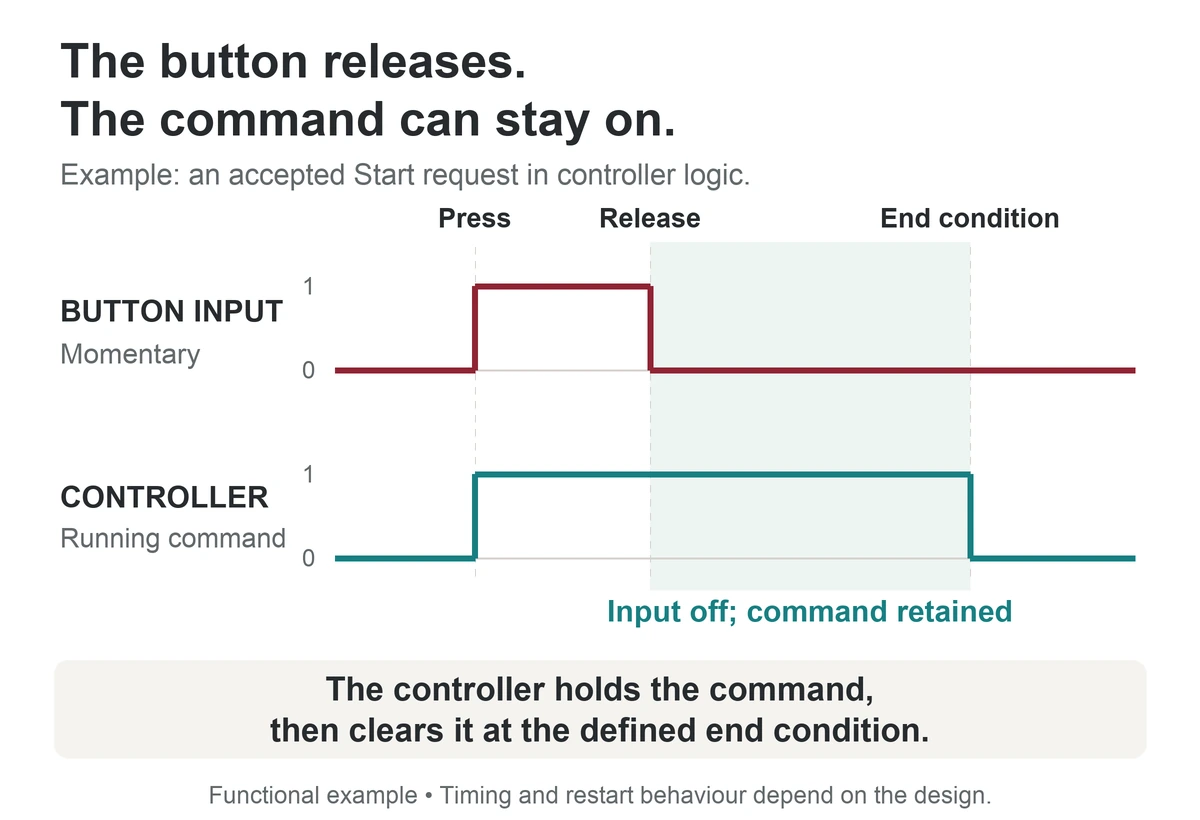
This distinction matters when replacing a button. A maintained replacement can leave Start present throughout the cycle, while the original controller may have been designed to act on a new press. Specify how the program handles a held input and a second press instead of assuming the new mechanism is equivalent.
Also decide what should happen after power returns. A retained physical selection and a controller's stored state are separate; neither automatically defines the permitted restart response.
Specify the contacts and lamp as separate choices.
Normally open (NO) contacts are open at rest; normally closed (NC) contacts are closed at rest. Operating the button changes their state. Momentary or latching describes what happens after release.
For our example, choosing momentary Start does not finish the contact selection. The controller's input design determines the required NO/NC arrangement and electrical duty; the selected product drawing identifies its terminals. A push-on/push-off mechanism is one latching option, while other maintained operators use a different release action.
If Start is illuminated, decide what its lamp means. A lamp following the request shows a request; a running-status indication needs the appropriate status signal. A glowing ring alone cannot prove that the equipment responded.
Use documented models to shortlist the hardware.
Use the catalogue’s action field to shortlist Start and Reset models separately from a maintained selection. Similar-looking heads can have different mechanisms.
| Catalogue reference | Family designation | Published action | Head shown |
|---|---|---|---|
| J19-271 | 19 mm | Momentary | Illuminated tricolour ring |
| J19-371 | 19 mm | Latching | Illuminated tricolour ring |
| J22-211 / J22-212 | 22 mm | Momentary | Non-illuminated flat head |
| J22-311 / J22-312 | 22 mm | Latching | Non-illuminated flat head |
The sizes above identify catalogue families. Use the mounting drawing for the actual cut-out, panel thickness and rear clearance, and complete the electrical and lamp options in the ordering code.

Catch three mistakes before ordering.
- Choosing action from the head's appearance. Use the documented mechanism and release action, even when two buttons look identical.
- Ordering “momentary NO” as though it were one property. Record action, contact arrangement and electrical duty as separate fields.
- Substituting a maintained Start without reviewing input handling. Check how the controller responds to a continuously present request.
Can a momentary button provide a hold-to-run input?
It can provide an input that changes while held and returns on release. Whether that input is suitable for a particular machine function depends on the complete control design; the mechanism alone does not establish a safety function.
Will a latching replacement fit the existing hole?
Operating action does not determine mechanical interchangeability. Compare the actual mounting drawings, panel thickness limits and rear clearance, as well as the electrical configuration.
Send a functional specification, not just a head style.
Our worked selection ends with momentary Start and Reset inputs plus a maintained auxiliary-light selection. Send those requirements with your chosen J19 or J22 references through JINHONG's enquiry form for a quotation, sample or configuration drawing.
Include quantity, mounting requirements, action and reset method, required contacts, circuit voltage and load type. For illuminated versions, add lamp voltage, AC/DC type, colour and the intended indication; include any certificate requirements.
Continue reading
Explore the products
Compare momentary and latching catalogue options. Open each model to check its contact and lamp configuration.
