
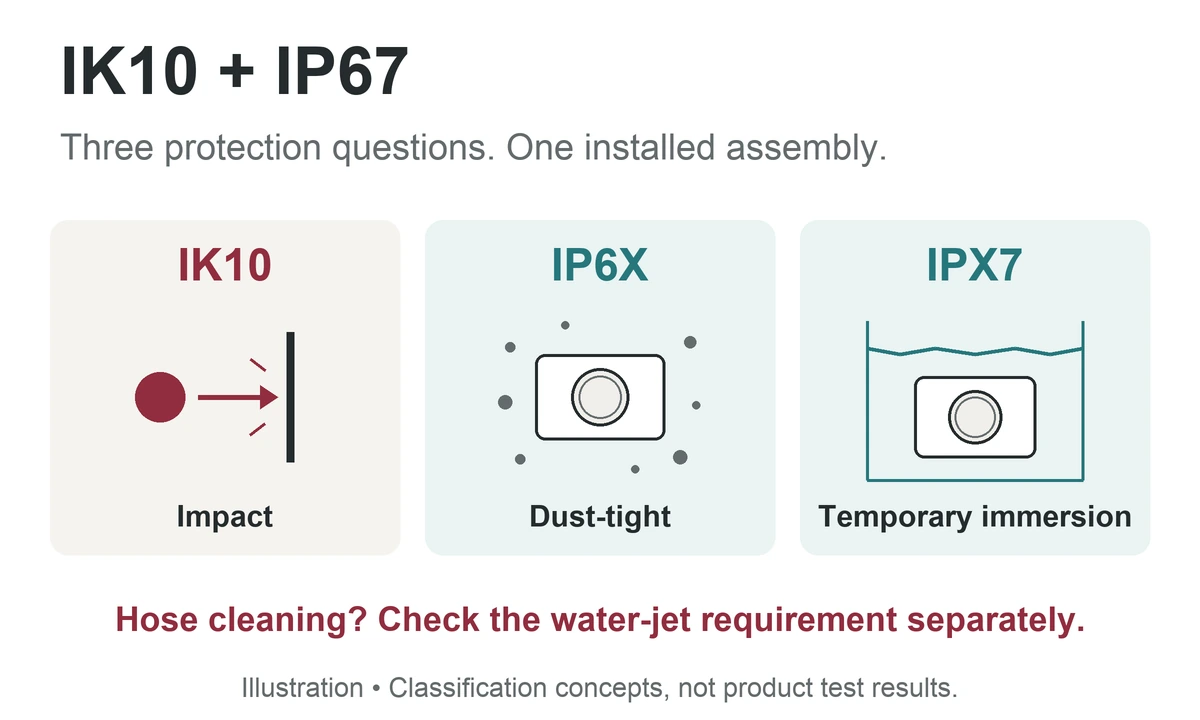
An IK10/IP67 label alone does not tell you whether a button suits a panel cleaned with a hose. IK10 identifies a 20-joule mechanical impact classification; IP67 covers dust-tightness and temporary immersion under defined conditions. Water jets are a separate requirement.
The access-panel example below shows how an apparently suitable rating can leave a practical requirement unanswered.
Work through an access panel with hose cleaning.
Design example. An access-panel brief calls for IK10 impact performance and protection against dust and temporary immersion at the installed front. The operator wants an illuminated button, cleaning staff will use a hose, and the rear terminals will sit inside a protected cabinet.
An offer marked only “IK10, IP67” leaves two questions open: does its evidence cover hose cleaning, and does it cover the illuminated version? Read the two codes separately before completing the supplier checklist.
Read the impact and ingress codes separately.
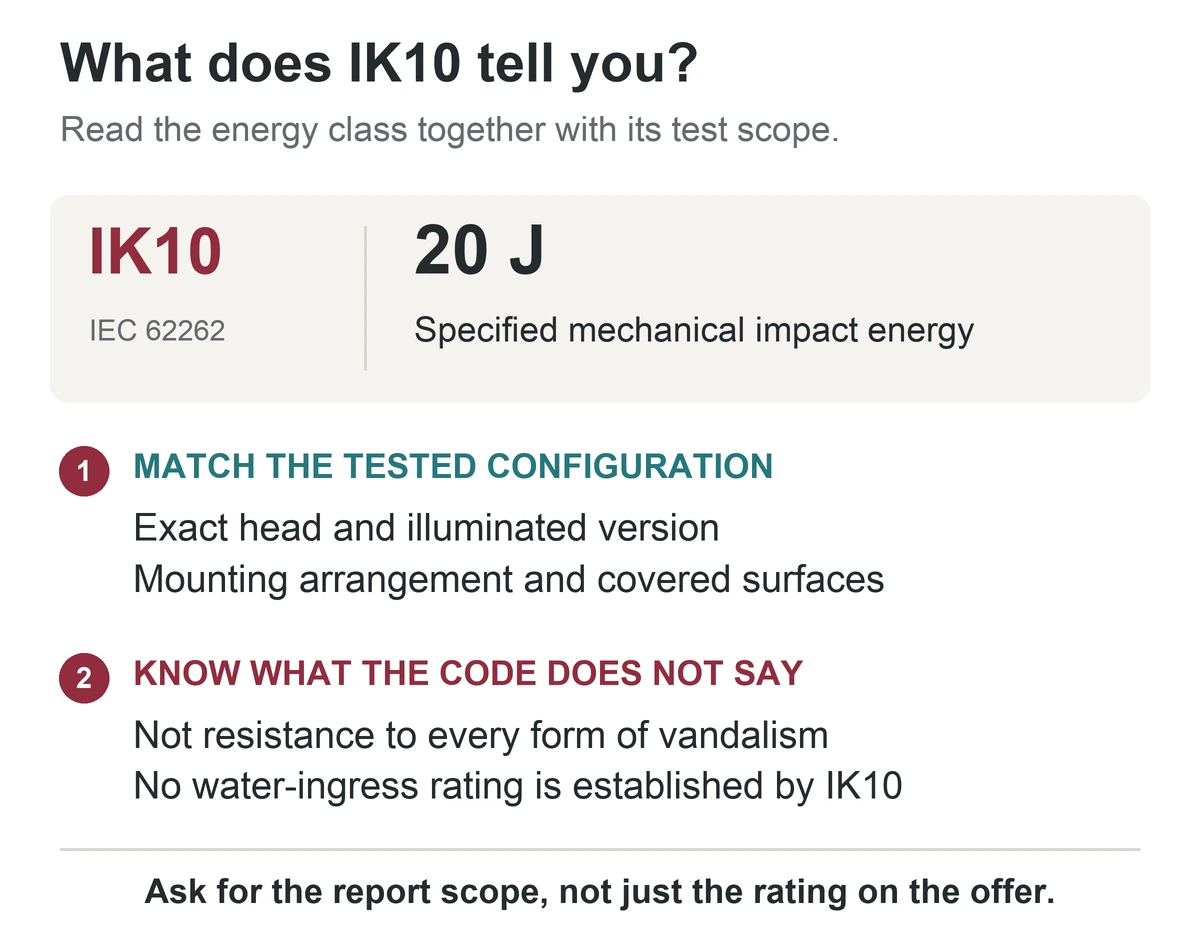
IK10 describes a defined impact test.
A metal head can look tough without demonstrating an impact classification. IK10 relates to a specified 20 J impact under IEC 62262; it does not describe resistance to every tool, strike direction or form of vandalism.
The 2021 IEC 62262 amendment also includes IK11 at 50 J in its impact-energy table. Calling IK10 the highest class would therefore be misleading; the selection question is whether the tested configuration meets the project's requirement.
IP67 combines two different ingress tests.
In IEC 60529, the first numeral 6 means dust-tight and the second numeral 7 concerns temporary immersion.
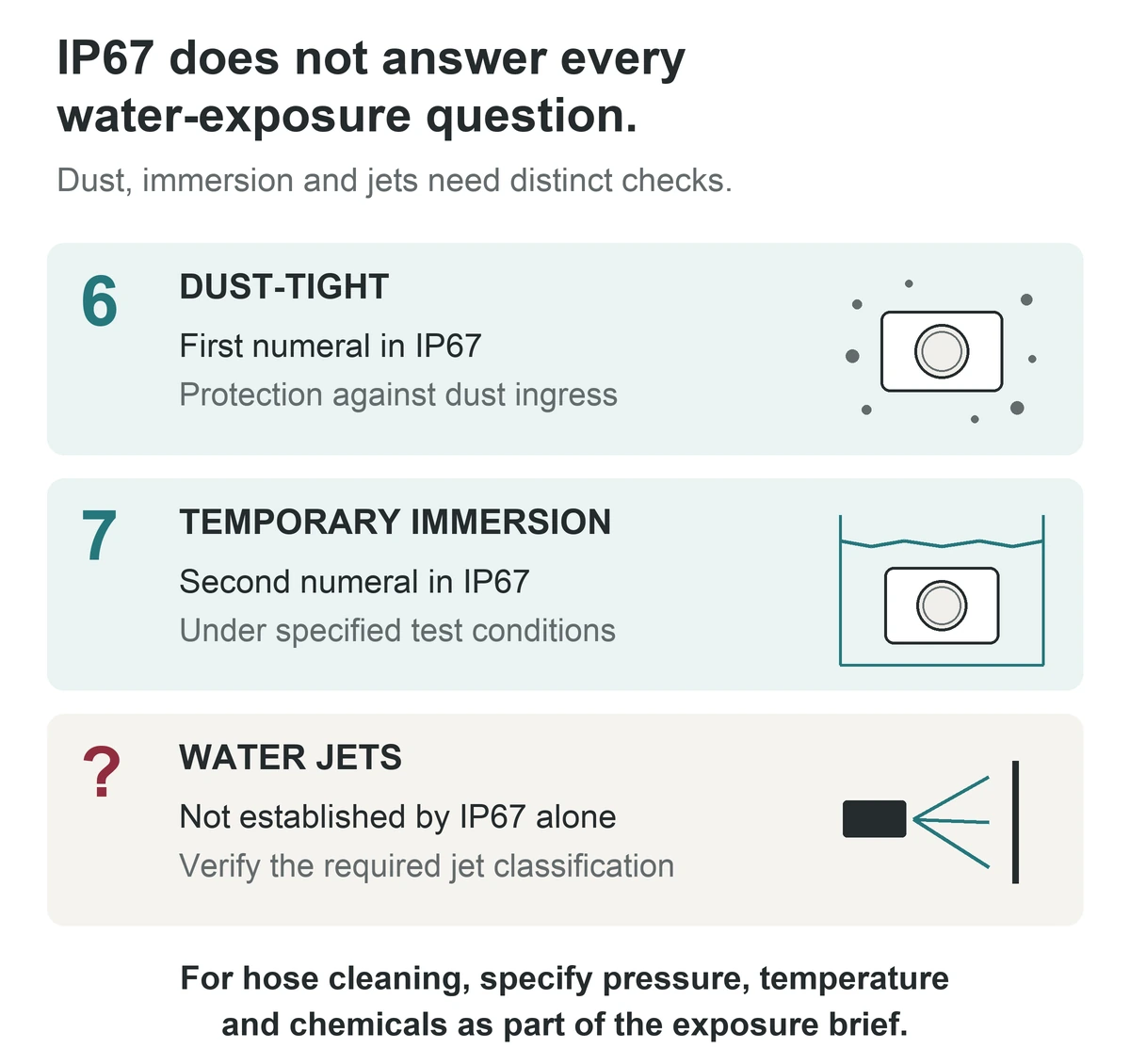
The water number is easy to misread as a ladder where 7 automatically includes every lower-numbered exposure. The standard treats immersion and water jets separately and uses multiple coding where both apply; see Amendment 2, Clause 6. A panel exposed to jets therefore needs the relevant jet evidence as well as any required immersion evidence.
Turn the exposure brief into a supplier checklist.
| Exposure or feature | Decision for this panel | Evidence that closes the item |
|---|---|---|
| Specified mechanical impact | Retain the brief's IK10 requirement. | Impact documentation covering the selected head and installed configuration. |
| Dust and temporary immersion | Retain both parts of IP67 at the installed front. | Ingress evidence identifying the protected boundary and mounting conditions. |
| Hose cleaning | Add a separate requirement for the actual jet exposure. | The relevant jet classification and its applicable conditions; immersion coding alone is insufficient. |
| Illuminated ring or lens | Include the illuminated version in the selection. | Documents covering that version's exposed ring or lens and seals. |
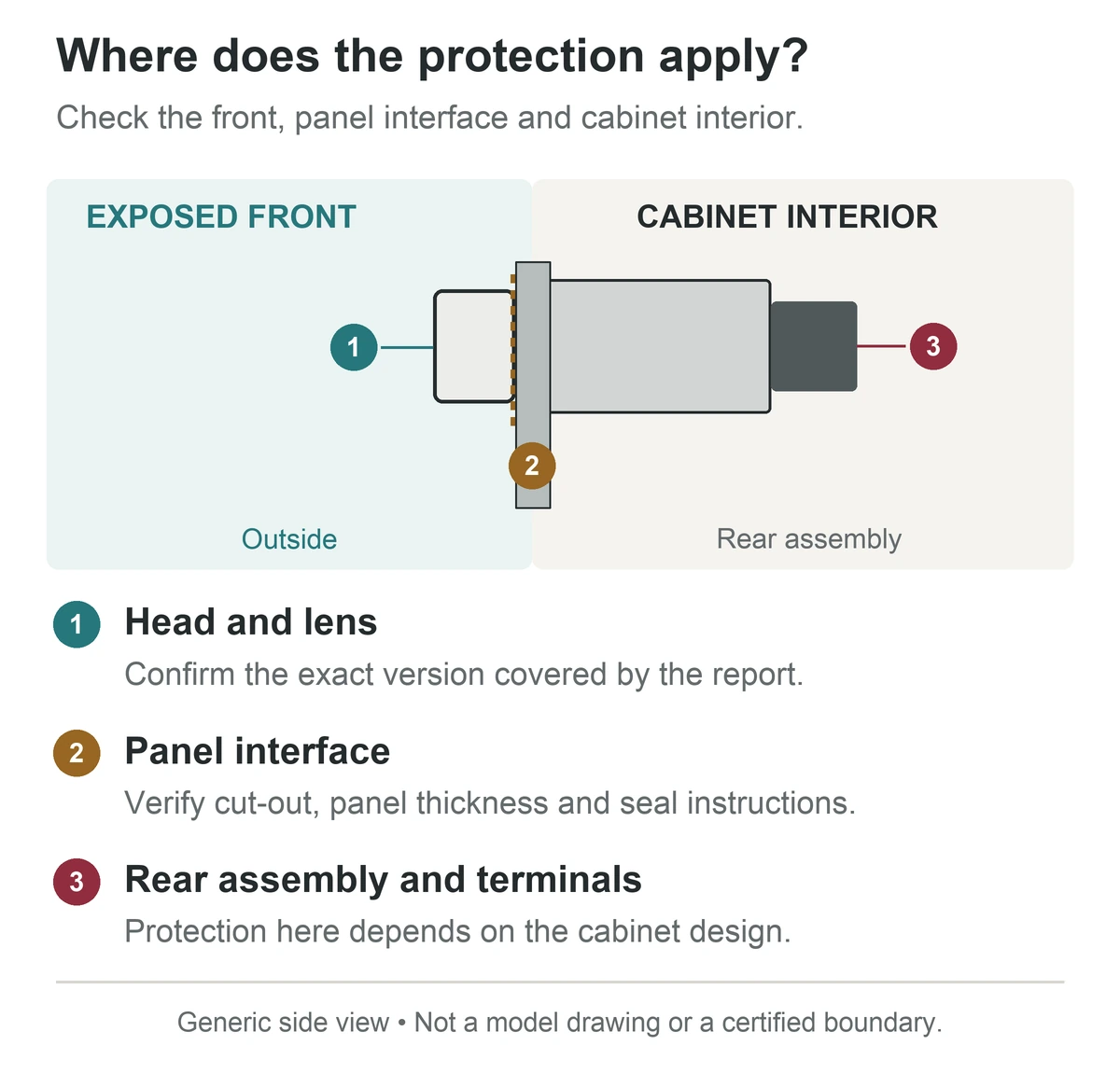
| Rear terminals | Keep them within the cabinet's specified protection. | Panel and enclosure details that protect the complete rear assembly. |
Decision: the IK10/IP67-only offer is incomplete for this cleaning plan. Keep the impact and immersion requirements, add the jet requirement, and assess the installed illuminated version against all three. A higher impact number would not close the missing water-jet item.
Use the table as the exposure checklist. Add the cleaning pressure, temperature, chemicals and exposure details so the supplier can identify the relevant evidence for the selected illuminated version.
Keep the protection boundary intact after installation.
The front seal, panel cut-out and cabinet protect different entry paths. Mark the protected front and rear areas on the panel drawing, then use the selected version’s cut-out, panel-thickness, seal and tightening instructions.
For cleaning, record more than the word “washdown.” IEC 60529 water tests use fresh water; hot jets and cleaning chemicals introduce conditions that the code alone may not cover. That is why the example's cleaning details travel with the purchasing specification.
Avoid three shortcuts that leave gaps.
- Choose the largest number. Rank the required exposures separately; a stronger impact classification cannot supply missing ingress evidence.
- Copy a rating from a similar head. Keep the illumination, seals and installed configuration in the ordered specification.
- Compare buttons before defining the panel. Set the protected front and rear boundaries first, then evaluate the component within that assembly.
Add the operating action to the completed protection brief.
Once the exposure requirements are clear, choose what the button should do. The J19-271 momentary ring-style button is a starting point for an actuator that returns after release; the J19-371 latching ring-style button is a starting point for a retained operating state.
Keep the chosen action, lamp supply and full ordering code alongside the exposure checklist. Momentary or latching action does not determine IP/IK suitability.
What should be checked when replacing a damaged button?
Check the panel and sealing surfaces as well as the replacement part. Keep the approved ordering code and drawing revision, and follow the seal and mounting instructions for the replacement; another button of the same apparent size may not reproduce the original installed assembly.
Does a rating claim mean independent certification?
A stated classification is not, by itself, proof of independent certification. If third-party evidence is part of the project, identify the issuer, covered model and configuration in the report or certificate.
Send JINHONG the completed exposure brief for a configuration review and quotation. Include the model or required action, quantity, illumination and lamp supply, panel drawing, front and rear exposure, cleaning method and required IP/IK evidence. The result should be a documented configuration that answers each line of the brief.
Continue reading
Explore the products
Original JINHONG catalogue photograph shared by this model family; the model names identify momentary and latching action. Confirm the required IK/IP classification and installation conditions for the exact ordered configuration.
