
Product guide
M16 Push Buttons and Indicators: A Selection Guide
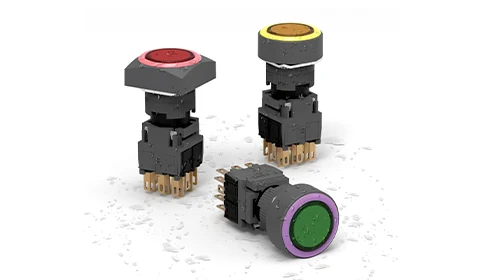
Select M16 controls by operating action, head shape, contact arrangement and lamp supply for a coordinated 16mm panel layout.
In this article
The M16 family provides push buttons and indicator lights for compact panel layouts. A consistent appearance can make a panel easier to read, but each position still needs its own electrical and mechanical specification.
Separate the command from the indication.
A push button sends a command through its contacts. An indicator light displays a condition supplied by another circuit. An illuminated push button combines these functions in one assembly, but its lamp does not automatically confirm that the machine has responded.
Plan the operator interface.
Choose the head shape and legend to suit the space and the operator’s task. Confirm a momentary or latching action from the exact product listing, and check the required NO/NC contact arrangement against the control schematic.
For a replacement, record the complete part number and compare the rear components. Matching only the front dimensions can leave differences in depth, contacts or connection method.
Information to include with an enquiry.
- Panel cut-out and thickness, checked against the dimension drawing.
- Function at each control position and the required operating action.
- Contact circuit voltage and load type.
- Indicator colour, supply voltage and AC/DC requirement.
- Installation environment and rear wiring clearance.
Browse M16 push buttons and M16 indicator lights to compare the available configurations.
Build an M16 control-position schedule
For a panel with several M16 positions, use one record per position. This makes the distinction between command buttons and status indicators visible before ordering.
| Check | Information to record |
|---|---|
| Position and label | Identify the panel location and the command or status shown. |
| Device function | Specify push button or indicator; add the operating action and contacts where relevant. |
| Signal source | For each lamp, identify whether the signal comes from power, a command or equipment feedback. |
Can an illuminated command button replace a separate status indicator?
It can combine the physical controls only if the intended circuits and indication are properly specified. Its lamp does not automatically prove that the equipment completed the command.
Explore the products
Catalogue examples from the ranges discussed. Open a model to check its configuration and technical details.
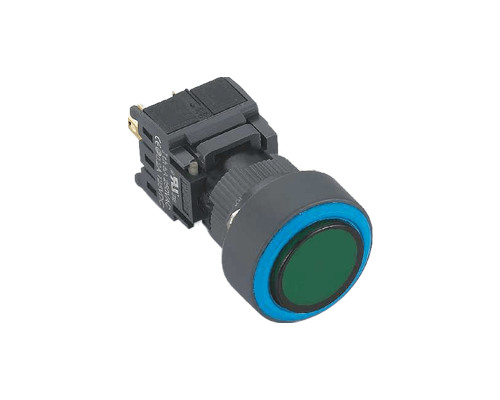
M16 16mm Round Non-Illuminated Push Button Switch (Momentary)
View model