
Product guide
EJ16 Metal Push Buttons: Compact Panel Selection
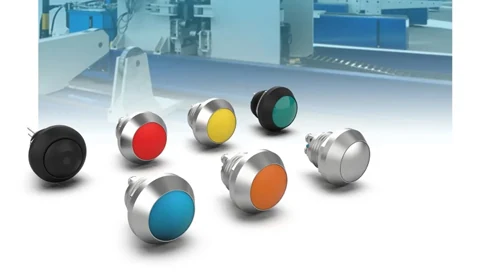
Explore EJ16 metal push-button options, including head shape, terminal style and illumination, with checks for a compact panel design.
In this article
EJ16 is a compact metal push-button family in Jinhong’s 16mm range. Selecting the correct version involves more than choosing the appearance of the button: the rear connection and available installation space also matter.
Choose the head and connection together.
The catalogue includes flat, raised and dome-head versions, with PCB and screw connection options listed as separate products. A PCB version needs a matching board layout; a screw version needs wiring and tool clearance. Use the individual drawing to check the full depth behind the panel.
Define the indication you need.
Illuminated variants provide a way to show a condition at the control point. Specify the illumination style, colour and electrical supply. Decide whether the light should indicate available power, a command or feedback from the equipment, since those require different control logic.
Read protection claims accurately.
IP ratings describe ingress protection and IK ratings describe resistance to mechanical impact under defined tests. Neither marking, by itself, establishes explosion protection. Confirm the selected model’s documented ratings and installation requirements for the intended environment.
Compare the EJ16 product variants. For a space-constrained design, send the panel thickness, available rear depth and preferred termination with your enquiry.
Reference: IP and IK code definitions in the Electrical Installation Guide.
Product examples
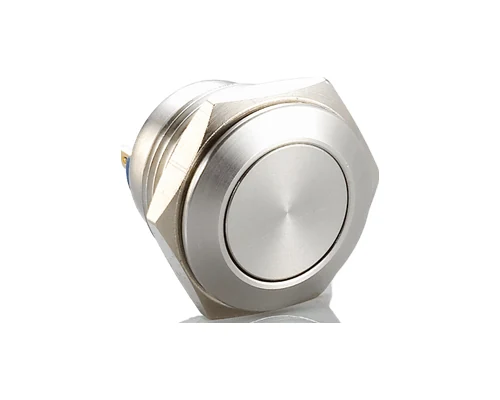
Original product video
Watch the original video on Tencent Video if the embedded player is unavailable.
EJ16: compare PCB and screw connections
Start with the intended assembly method, then compare the head and illumination options within that connection type.
| Check | Information to record |
|---|---|
| PCB assembly | Check the footprint and complete rear dimensions against the board and panel layout. |
| Wired assembly | Check conductor termination and access for the required installation tools. |
| Illuminated assembly | Specify the lamp supply and leave space for its connections as well as the switched circuit. |
Is a PCB version a direct replacement for a screw-terminal version?
Treat it as a separate configuration. Compare the connection method and full drawing; the same nominal panel size does not establish a drop-in replacement.
Explore the products
Catalogue examples from the ranges discussed. Open a model to check its configuration and technical details.
Request model drawings and selection support